Showing Posts From
Invoicing

-
 BinaxPay Team
 - 01 Dec, 2025
- 5 mins read
Enterprise Finance (ERP, Payroll, Invoicing Terms)
Enterprise finance covers the systems, terminology, and workflows that companies use to manage money movement, payroll, invoicing, accounting, and operational controls. Modern fintech and ERP platforms combine automation, real-time data, and multi-rail payment capabilities to support enterprises across manufacturing, logistics, retail, hospitality, and service industries. This post explains key terms, how ERP-driven finance works, and real-life examples across Germany, Sweden, USA, Saudi Arabia, Brazil, and Oman. 1. ERP (Enterprise Resource Planning) — Core Financial Engine ERP is an integrated system that manages a company’s accounting, payroll, procurement, inventory, invoicing, project costing, financial reporting, compliance, and multi-entity operations. ERP ensures that every financial activity is logged, audited, and synced across departments. Key ERP finance modulesGeneral Ledger (GL): central accounting record Accounts Payable (AP): supplier payments Accounts Receivable (AR): customer invoices Fixed Assets: depreciation and asset management Cash Management: treasury and liquidity Expense Management: employee reimbursements Payroll Engine: salaries, taxes, contributions Procurement: purchase orders and vendor managementReal-life example — Germany A manufacturing company in Munich uses ERP to automate vendor payments. The ERP automatically matches supplier invoices with delivery notes and schedules SEPA transfers weekly, reducing manual work by 78% and eliminating invoice fraud. 2. Payroll Terms Every Enterprise Uses Payroll involves salary calculation, tax withholding, benefits, and statutory reporting. Core payroll termsGross salary: salary before deductions Net salary: salary after tax and deductions Withholding tax: income tax deducted by employer Social contributions: pension, insurance, healthcare Payroll cycle: monthly, bi-weekly, or weekly Payslip: detailed salary breakdown Overtime rates: statutory or company rules Leave accrual: vacation and sick leave tracking End-of-service benefits: GCC region requirement Multi-country payroll: payroll for employees across regionsReal-life example — Saudi Arabia A tech company in Riyadh uses an ERP to process payroll in SAR, applying GOSI contributions automatically. Salaries are issued through local rails and bank accounts, and the ERP posts all journal entries to the General Ledger instantly. 3. Invoicing, Billing, and AR Terms These terms control how a company bills customers and collects payments. Key invoicing conceptsInvoice: official request for payment Pro forma invoice: pre-invoice for confirmation Credit note: reduces invoice amount Debit note: increases invoice amount Payment terms: Net 15, Net 30, Net 60 Recurring billing: subscription or monthly invoicing E-invoicing: digital invoices required by many countries Invoice aging: tracking overdue invoices Dunning cycle: automatic reminders for unpaid invoicesReal-life example — Brazil A logistics company in Sao Paulo issues electronic invoices (NF-e) and syncs everything with ERP. The system enforces tax requirements, sends invoices automatically, and reconciles incoming PIX payments in real time. 4. Vendor Management, Procurement, and AP Terms AP (Accounts Payable) manages payments to vendors. Procurement termsPurchase Order (PO): official order to supplier Goods Receipt (GRN): confirmation of received items 3-Way Match: PO plus invoice plus delivery note Vendor master record: supplier data Payment run: scheduled batch payments Early payment discounts: financial incentives Supplier ledger: vendor transaction history ERP approval matrix: manager approval levelsReal-life example — Sweden A retail chain in Stockholm automates its three-way matching. The ERP blocks invoices that do not match PO quantities, reducing overcharging and fraud. 5. Expense Management, Reimbursements, and Corporate Cards Modern fintech solutions integrate corporate cards and automated expense workflows. Key termsExpense policy: rules for employee spending Per diem: daily allowance for travel Expense claim: employee reimbursement Corporate card: company-issued card Receipt capture: scanning receipts via app Spend limits: category, daily, or transaction limits Auto-reconciliation: ERP auto-links expenses to ledger accountsReal-life example — USA A consulting firm in Chicago gives employees corporate cards linked to the ERP. Receipts sync automatically, and the finance team closes monthly books in 48 hours instead of 10 days. 6. Treasury, Cash Management, and Liquidity Terms Enterprise finance requires daily control over cash flow and liquidity. Core treasury termsCash forecasting: predicting cash over upcoming weeks and months Treasury pooling: grouping funds across entities and accounts Liquidity buffer: reserve funds Working capital: cash available for daily operations Bank reconciliation: matching bank statements with ERP Multi-currency treasury: managing EUR, USD, GBP, SAR, BRLReal-life example — Oman An oil services company in Muscat centralizes its liquidity from six bank accounts. The ERP treasury module forecasts required working capital and triggers supplier payments automatically based on cash levels. 7. Enterprise Reporting, Audit Trails, and Compliance Large companies must maintain strict financial controls. Key reporting termsFinancial statements: balance sheet, P and L, cash flow Trial balance: verification of ledger accuracy Audit trail: logs of every change and transaction Internal controls: segregation of duties SOX compliance: US public company standards IFRS and GAAP: global accounting standards Consolidated financials: multi-country group reportingReal-life example — Germany A holding company with operations in Berlin, Dubai, and Sao Paulo consolidates all financials via ERP. Each subsidiary posts under local GAAP, and ERP converts into IFRS for group-level reporting. 8. Integrated Payments, Payroll APIs, and Fintech Rail Connectivity Modern enterprise finance connects directly with banks, PSPs, and payroll processors. Key termsPayout API: automated salary and vendor payments Collection API: handles customer payments Direct debit mandates: automated customer billing SEPA Direct Debit (SDD): recurring EU payments RTP (Real-Time Payments): instant bank transfers PIX, ACH, FedNow: local payout rails Payment approval flow: CFO must approve large transactionsReal-life example — Brazil A SaaS company uses a PIX payout API for paying 1,200 freelancers weekly. ERP triggers payments automatically, eliminating manual banking. 9. ERP–Fintech Integration Architecture Enterprises increasingly replace manual finance operations with API-driven flows. Typical integration layersERP to bank API for payments and statements ERP to payroll engine ERP to PSP (customer payments) ERP to tax authority (e-invoicing) ERP to treasury systems ERP to expense management appBenefitsAutomated data flow Faster month-end closing Real-time cash visibility n- Reduced fraud Fewer manual errorsReal-life example — Sweden A mid-size company connects ERP to their bank via API. Bank statements sync every hour, giving a real-time cash view. 10. Summary Enterprise finance includes ERP systems, payroll automation, invoicing, procurement, treasury, accounting, and reporting. Fintech integrations turn these functions into real-time, automated operations. With strong ERP–fintech connectivity, enterprises across Germany, Sweden, USA, Saudi Arabia, Brazil, and Oman operate with greater accuracy, lower cost, and complete financial transparency.
- BinaxPay Team
- 18 Nov, 2025
- 5 mins read
BinaxPay for Auto Service Centers: Easy Invoices & Customer Payments
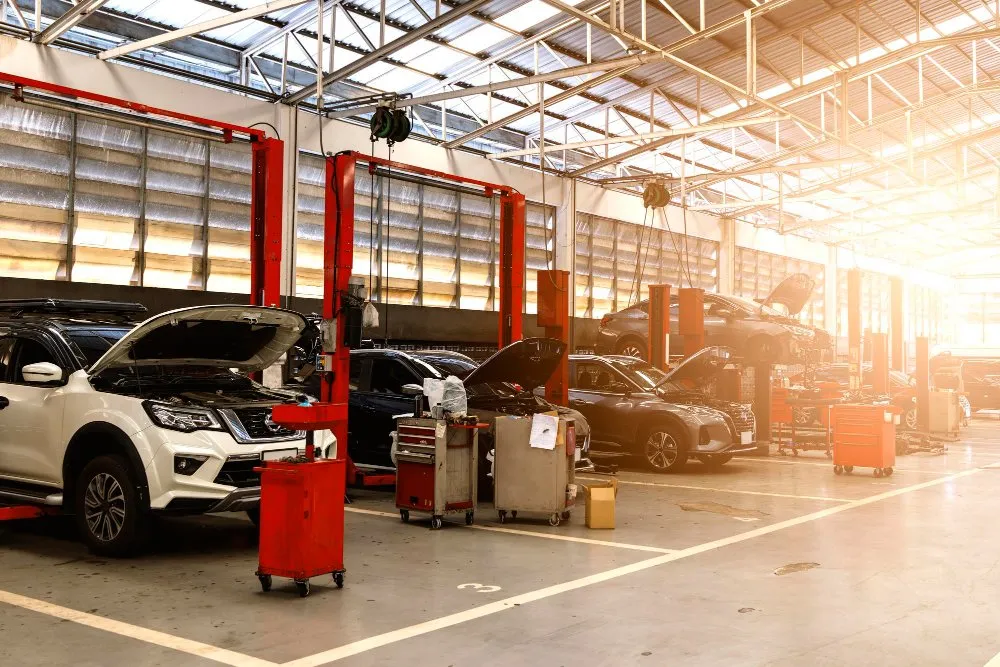
Auto service centers live in a busy world: full appointment calendars, urgent breakdowns, demanding customers, and almost never enough time for paperwork. In the middle of all this, invoices, payments, and financial tracking still have to work every single day. BinaxPay helps auto service centers, garages, and repair shops turn this financial chaos into a simple, clear, and manageable process without turning them into accountants or IT experts. The daily reality in an auto service center A normal day in a service center looks like this:Cars arrive all day long, scheduled and walk-in The team handles inspections, oil changes, brake repairs, diagnostics, air conditioning issues, and more Some jobs are small and quick, others take a full day or more At the end of the day, you still need to create invoices, collect payments, track who paid, and answer billing questionsCommon problems include:Invoices created in Word or Excel, manually Payments received via cash, card, or bank transfer at different times Unclear matching between payments and jobs Late payments that go unnoticed Owners forced to guess daily or weekly resultsBinaxPay is built to solve this with easy invoices, easy payments, and a clear financial overview. What BinaxPay does for auto service centers BinaxPay is a financial platform that keeps all money flows in one place, from invoices to customer payments and internal reporting. With BinaxPay, an auto service center can:Create clear, professional invoices in minutes Accept multiple payment types and match them to the right invoice See paid, partially paid, and unpaid bills in one dashboard Offer payment options like deposits or payment in steps Get a clean summary at the end of each day, week, or monthIt is not a bank. It is the financial control center behind the workshop. From repair job to paid invoice BinaxPay makes the full journey simple and structured. 1. Job creation When a vehicle comes in, the service center:Records the customer name and contact details Notes the vehicle and basic info Creates a job in the system, such as a full service with brake padsThis replaces notes on paper or scattered spreadsheets. 2. Work and parts tracking As mechanics work on the car, they or the front desk add:Labor items, such as service hours and repair hours Parts, such as oil, filters, brake pads, and fluidsEntries remain clear and easy to understand. 3. Invoice generation When the job is finished, the invoice is generated with one click:All labor and parts are already included Taxes and totals calculate automatically The invoice is ready to print or send by email or SMS as a PDF link4. Customer payment The customer can pay:On-site by card, cash, or other supported methods Online through a payment link Later, if agreed, for trusted or corporate clientsEach payment links to a specific invoice and job, so nothing gets lost. 5. Follow-up for unpaid bills If a customer has not paid yet:The invoice shows as unpaid or partially paid The service center can send a reminder The owner can see how many invoices are overdue and by how muchReal-life example: city auto service center Imagine a mid-sized auto service center in a busy city:A steady volume of vehicles each day Services include inspections, brakes, oil changes, tires, and bodywork Customers are a mix of private drivers and small businessesBefore BinaxPay:Invoices were created in Word and printed The card terminal and cash drawer were separate from the invoice system Staff matched payments to invoices manually Sometimes an invoice was forgotten or a transfer did not get matched Month-end reconciliation took hoursAfter BinaxPay:Every job starts as a digital record with customer and vehicle details Each finished job gets a clear invoice inside BinaxPay Card payments, transfers, or other methods are recorded against the right invoice A dashboard shows total revenue, paid invoices, and unpaid invoices Owners see which services bring in the most moneyResults after a few months:Fewer lost payments and almost no forgotten invoices A more professional impression for customers Faster month-end reporting Decisions based on real numbers, not guessworkSimple payment options for customers Many customers appreciate flexibility. With BinaxPay, a service center can:Accept full payment immediately Take a deposit at pickup and collect the rest later Offer payment-in-steps for larger repairsExample structure:Total repair cost with a split payment plan Customer pays a portion at pickup The remaining balance is split into later paymentsBinaxPay keeps track of what is paid, what is open, and when the next payment is due. Better experience for customers Customers do not just want a fixed car. They want a clear, simple payment experience. With BinaxPay, they get:A professional invoice with all details Flexible payment options on-site or via link No confusion about what they owe and when Easy access to the invoice for insurance, employer, or tax purposesA modern payment experience makes customers more likely to return and recommend the service center. Useful for small and medium-sized businesses BinaxPay is designed for:Independent auto repair shops Branded service centers with one or more locations Tire and wheel specialists Body and paint shops Mixed-service garagesIt works whether you handle a small daily volume or a larger, multi-bay operation. Why investors and partners care For investors, franchise networks, or strategic partners, a service center using BinaxPay is more attractive because:Revenue is clearly tracked Outstanding payments are controlled Cashflow is visible and structured Financial history is easy to reviewThis makes expansion decisions easier, multi-branch rollouts more realistic, and partnerships with insurers or fleet providers more professional. Key benefits at a glance For the service center:Faster invoicing Accurate payment tracking Fewer unpaid or forgotten invoices Better cashflow overview Less stress at month-endFor customers:Clear, professional invoices Flexible payment options Transparent communicationFor investors and partners:Structured financial data Predictable revenue patterns Better basis for growth and cooperationConclusion "BinaxPay for Auto Service Centers: Easy Invoices and Customer Payments" means taking the financial stress out of the workshop. Instead of chasing payments or guessing at month-end, the service center gets one system for jobs, invoices, and payments, plus a clear picture of performance. That means more time and energy to focus on what matters most: repairing cars and serving customers.