BinaxPay for Auto Service Centers: Easy Invoices & Customer Payments
-
 BinaxPay Team
 - 18 Nov, 2025
- 5 mins read
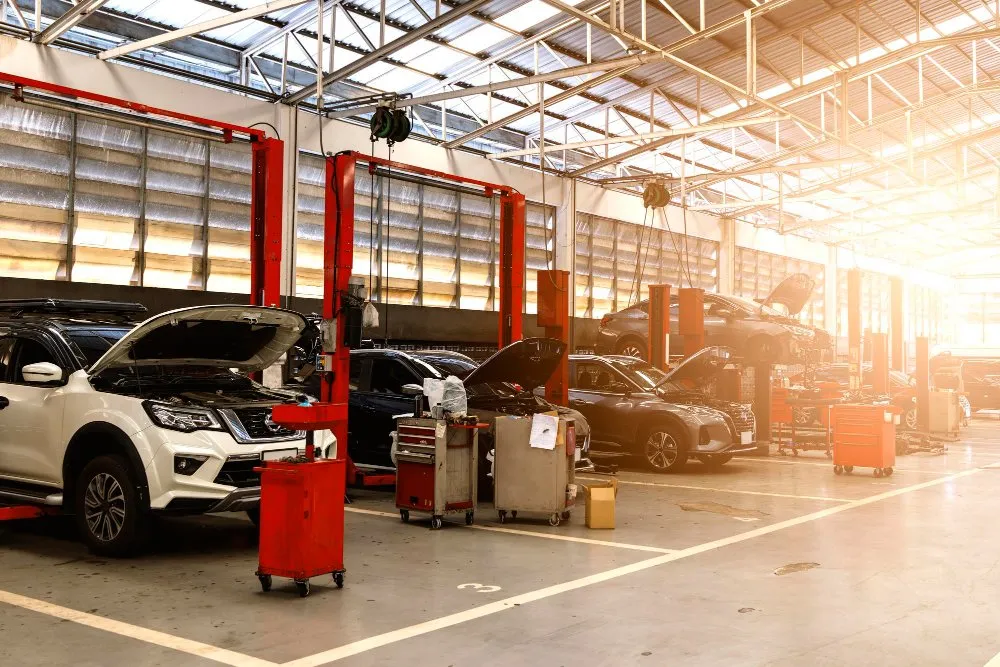
Auto service centers live in a busy world: full appointment calendars, urgent breakdowns, demanding customers, and almost never enough time for paperwork. In the middle of all this, invoices, payments, and financial tracking still have to work every single day.
BinaxPay helps auto service centers, garages, and repair shops turn this financial chaos into a simple, clear, and manageable process without turning them into accountants or IT experts.
The daily reality in an auto service center
A normal day in a service center looks like this:
- Cars arrive all day long, scheduled and walk-in
- The team handles inspections, oil changes, brake repairs, diagnostics, air conditioning issues, and more
- Some jobs are small and quick, others take a full day or more
- At the end of the day, you still need to create invoices, collect payments, track who paid, and answer billing questions
Common problems include:
- Invoices created in Word or Excel, manually
- Payments received via cash, card, or bank transfer at different times
- Unclear matching between payments and jobs
- Late payments that go unnoticed
- Owners forced to guess daily or weekly results
BinaxPay is built to solve this with easy invoices, easy payments, and a clear financial overview.
What BinaxPay does for auto service centers
BinaxPay is a financial platform that keeps all money flows in one place, from invoices to customer payments and internal reporting.
With BinaxPay, an auto service center can:
- Create clear, professional invoices in minutes
- Accept multiple payment types and match them to the right invoice
- See paid, partially paid, and unpaid bills in one dashboard
- Offer payment options like deposits or payment in steps
- Get a clean summary at the end of each day, week, or month
It is not a bank. It is the financial control center behind the workshop.
From repair job to paid invoice
BinaxPay makes the full journey simple and structured.
1. Job creation
When a vehicle comes in, the service center:
- Records the customer name and contact details
- Notes the vehicle and basic info
- Creates a job in the system, such as a full service with brake pads
This replaces notes on paper or scattered spreadsheets.
2. Work and parts tracking
As mechanics work on the car, they or the front desk add:
- Labor items, such as service hours and repair hours
- Parts, such as oil, filters, brake pads, and fluids
Entries remain clear and easy to understand.
3. Invoice generation
When the job is finished, the invoice is generated with one click:
- All labor and parts are already included
- Taxes and totals calculate automatically
- The invoice is ready to print or send by email or SMS as a PDF link
4. Customer payment
The customer can pay:
- On-site by card, cash, or other supported methods
- Online through a payment link
- Later, if agreed, for trusted or corporate clients
Each payment links to a specific invoice and job, so nothing gets lost.
5. Follow-up for unpaid bills
If a customer has not paid yet:
- The invoice shows as unpaid or partially paid
- The service center can send a reminder
- The owner can see how many invoices are overdue and by how much
Real-life example: city auto service center
Imagine a mid-sized auto service center in a busy city:
- A steady volume of vehicles each day
- Services include inspections, brakes, oil changes, tires, and bodywork
- Customers are a mix of private drivers and small businesses
Before BinaxPay:
- Invoices were created in Word and printed
- The card terminal and cash drawer were separate from the invoice system
- Staff matched payments to invoices manually
- Sometimes an invoice was forgotten or a transfer did not get matched
- Month-end reconciliation took hours
After BinaxPay:
- Every job starts as a digital record with customer and vehicle details
- Each finished job gets a clear invoice inside BinaxPay
- Card payments, transfers, or other methods are recorded against the right invoice
- A dashboard shows total revenue, paid invoices, and unpaid invoices
- Owners see which services bring in the most money
Results after a few months:
- Fewer lost payments and almost no forgotten invoices
- A more professional impression for customers
- Faster month-end reporting
- Decisions based on real numbers, not guesswork
Simple payment options for customers
Many customers appreciate flexibility. With BinaxPay, a service center can:
- Accept full payment immediately
- Take a deposit at pickup and collect the rest later
- Offer payment-in-steps for larger repairs
Example structure:
- Total repair cost with a split payment plan
- Customer pays a portion at pickup
- The remaining balance is split into later payments
BinaxPay keeps track of what is paid, what is open, and when the next payment is due.
Better experience for customers
Customers do not just want a fixed car. They want a clear, simple payment experience.
With BinaxPay, they get:
- A professional invoice with all details
- Flexible payment options on-site or via link
- No confusion about what they owe and when
- Easy access to the invoice for insurance, employer, or tax purposes
A modern payment experience makes customers more likely to return and recommend the service center.
Useful for small and medium-sized businesses
BinaxPay is designed for:
- Independent auto repair shops
- Branded service centers with one or more locations
- Tire and wheel specialists
- Body and paint shops
- Mixed-service garages
It works whether you handle a small daily volume or a larger, multi-bay operation.
Why investors and partners care
For investors, franchise networks, or strategic partners, a service center using BinaxPay is more attractive because:
- Revenue is clearly tracked
- Outstanding payments are controlled
- Cashflow is visible and structured
- Financial history is easy to review
This makes expansion decisions easier, multi-branch rollouts more realistic, and partnerships with insurers or fleet providers more professional.
Key benefits at a glance
For the service center:
- Faster invoicing
- Accurate payment tracking
- Fewer unpaid or forgotten invoices
- Better cashflow overview
- Less stress at month-end
For customers:
- Clear, professional invoices
- Flexible payment options
- Transparent communication
For investors and partners:
- Structured financial data
- Predictable revenue patterns
- Better basis for growth and cooperation
Conclusion
“BinaxPay for Auto Service Centers: Easy Invoices and Customer Payments” means taking the financial stress out of the workshop.
Instead of chasing payments or guessing at month-end, the service center gets one system for jobs, invoices, and payments, plus a clear picture of performance. That means more time and energy to focus on what matters most: repairing cars and serving customers.